Staying connected while traveling in South Korea is easier than its ever been, but with so many options available for visitors, sometimes it can be difficult to decide which option is the right for you and your travel style.
You could keep your fingers crossed and rely on free city WiFi (make sure to have a VPN if you do), purchase an eSIM for the few days you’re there, pay for international roaming on your own device through your own carrier, or rent a Pocket WiFi (also called a WiFi Egg).
I’ve personally used all four options on different trips throughout the years, and renting a Pocket WiFi recently ended up being my favorite option – and the one option I recommend the most for travelers looking to go on multiple day trips out of Seoul or explore more “off the beaten path” attractions.

My Essential Korea Travel Resources :
There are plenty of travel companies out there, but these are my favorite websites and resources for planning an unforgettable trip to South Korea. This post may contain affiliate links, which means I may earn a small commission at no extra cost to you. Learn more here.
🚙 Car rentals, although not common in Korea, are best through Discover Cars – just make sure to have a copy of your international driver’s permit with you!
🏨 I always use AGODA to compare hotels & prices in Asia.
📶 To keep cell phone service, I use Airalo’s easy to purchase eSIM’s (no installation required).
📸 For fun things to do, Klook specializes on tours in Asia, otherwise Viator also does the trick.
🦋 Just in case, Safetywing is the insurance I always use when visiting a new country.
🧳 Lastly, my essential packing list when visiting Korea.
Pocket WiFi vs. eSIM vs. International Roaming

Like I mentioned above, you have a few options to stay connected during your trip to Seoul & Korea. Over the years I’ve done all of them, and personally I’m super impressed by how easy it was to just carry a WIFI Egg or Pocket WIFI. However, there’s pros and cons to every method, and if you want to choose the best option for you then you’ll want to compare them all.
Free Wifi
Seoul is known for it’s free WIFI throughout the city. Pretty much everywhere you go there’ll be at least 3 open options, and nearly every cafe or restaurant you visit will also have WIFI available for customers as well. What I’ve noticed is that sometimes connecting to these free city Wifi options can be a bit spotty, coverage goes in and out, and a lot of times you need to sign up with a Korean phone number. Plus, if you plan to travel outside of Seoul then WIFI coverage often falls short in most smaller towns and cities. If you’re only visiting major attractions within Seoul and don’t always need directions or voice calling, then I think you’ll be ok relying on the city’s free WIFI.
Pocket WIFI/WIFI Eggs
My favorite thing about Pocket WIFI is that you can connect multiple devices to it. So I can have my phone connected during the day, then when I sit down at a cafe to get some work done I can connect to my private network without having to worry about joining anything sketchy. My second favorite thing about Pocket WIFI is that I can bring it anywhere and it generally gave me really fast internet. I usually go on multiple trips outside of Seoul, and my Pocket WIFI worked great no matter where I was or how close I was to a larger city. The battery life is the only downside, and last about 8 hours if kept on all day. I ended up bringing a portable charger with it in case the battery got too drained.
eSims
My second favorite option is purchasing an eSim through sites like Airalo. You can decide how many days you’ll need coverage and it works just like your phone would back home. The only downside is your phone needs to be unlocked and support eSim use, so if you have an older phone or one that just isn’t compatible with eSIMS, this might not be an option.
International Roaming
If you’re just visiting for a day or two then International Roaming is an option. I don’t usually recommend it for longer trips because depending on your provider it can get pretty expensive. In the past I used to have T-Mobile, which has excellent international roaming options that I used in multiple countries, but for some reason it would never connect in Korea. If you want to rely on International Roaming, I recommend double checking your provider’s fees and coverage in South Korea, and making sure its something that’s in your budget.
| Option | Best For | Pros | Cons |
|---|---|---|---|
| Free Wifi | Casual Travelers | Free | Spotty Coverage |
| eSIM | Solo Travelers | No Extra Device | Phone Must Support eSIM |
| International Roaming | Short Trips | Use Your Own Number | Expensive |
| Pocket WIFI | Families/Longer Trips | Reliable, Multiple Devices | Must Carry + Charge Each Night |
My Favorite South Korea Essentials :
How to Rent an LG U+ Pocket WiFi (Step by Step Guide)


Reserving your Wifi Egg is pretty easy, and can be done online. Depending on who you decide to rent through you’ll need to enter the number of days you plan to rent it, where you plan to pick up and where you plan to drop off the Wifi Egg. I usually go through LG U+ and reserve on their website. Most companies will have pickup locations in Incheon Airport’s Arrivals Terminal and at Gimpo Airport depending on where you’re flying in from. LG U+ has two locations in the Incheon Arrivals at Terminal 1, near A & F Gates. To pick up they’ll put a hold on a credit card which gets charged when you return it. I rented the Wifi Egg for just over 30 days and because I had it for a month I only paid 55,000 Won, otherwise it’s 4,000 Won a day.
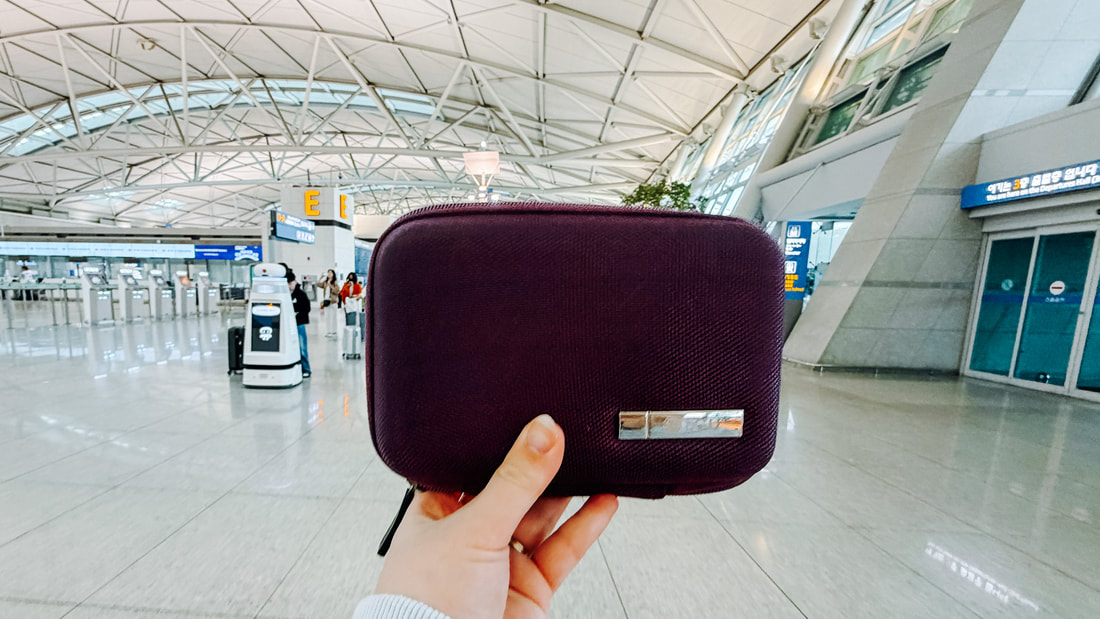
The Wifi Egg comes in a complete set, with the usage instructions, return instructions, charging cord, and extra portable rechargeable battery inside the hard case. They do check to make sure everything is returned when you bring it back, so make sure to keep the cords in a safe place. Returning was super easy, I just dropped it off at the return desk at F Gate right before heading into the TSA checkpoint. Personally, I thought it was a super organized and easy way to stay connected for a long trip in Korea.
Watch My Seoul Adventures Here!
Pin this Post for Later!


Leave a Reply